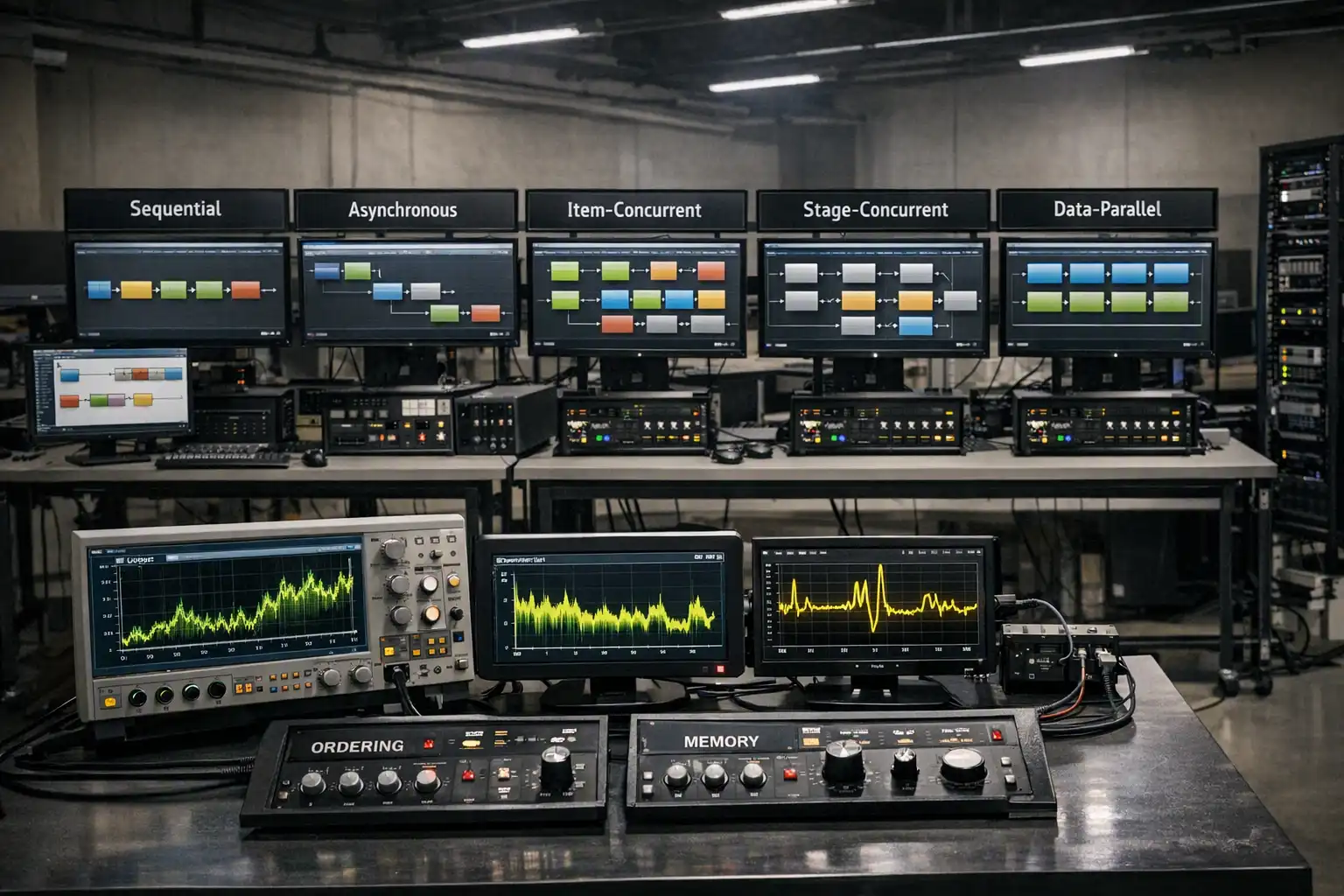

C# pipeline parallelism and throughput are not automatic consequences of arranging code into stages. A pipeline can execute one item through dependent stages in sequence. The C# await operator can suspend I/O-bound work without blocking the evaluating thread. A pipeline can also process several items inside one stage, overlap different stages on different items, or partition one stage's independent CPU work. Those are five distinct execution models, and each changes what should be measured.
This article gives you a vocabulary for those models and a controlled .NET 10 measurement harness. It does not publish benchmark numbers because the numbers would describe one machine, one workload, and one configuration. Instead, the harness prints the evidence you need to compare models locally: elapsed time, throughput, batch-release latency percentiles, managed allocation, a forced-GC managed-memory snapshot delta, process CPU time, completion counts, failures, and a correctness checksum.
Pipeline Stages Are Not Inherently Parallel
The Pipeline Pattern defines ordered transformations and boundaries. It does not require threads, tasks, queues, or parallel workers. A three-stage pipeline can be three ordinary method calls:
input -> validate -> transform -> save -> result
For one item, the transform still depends on validation, and save still depends on transform. Running those dependent operations at the same time would not make the pipeline faster; it would violate the data dependency.
The useful question is not, "Is the pipeline parallel?" Ask, "Where can independent work overlap without breaking correctness?" That question leads to five models.
| Model | What overlaps | What does not follow automatically |
|---|---|---|
| Sequential composition | Nothing for one admitted item | It does not imply a specific thread |
| Async nonblocking execution | The thread can do other work while an await is incomplete | Dependent stages are not parallel |
| Item concurrency | Multiple items execute the same stage or path at once | Different stages do not need independent schedulers |
| Stage concurrency | Different stages process different items at the same time | One item's dependent stages still remain ordered |
| Data parallelism | One stage partitions independent work across workers | It is not a complete multi-stage network |
These definitions keep C# pipeline parallelism and throughput discussions honest. Without them, a statement such as "the parallel pipeline was faster" omits the most important detail: which work became independent?
Start With a Sequential Baseline
A sequential baseline is the control. One item enters, completes every dependent stage, and leaves before the next item starts. It gives you a correctness checksum, a simple failure count, and a wall-clock reference without queueing or worker coordination.
The baseline should perform the same business work as the alternatives. If the concurrent version skips validation, changes batch size, caches data, or calls a different dependency, you are measuring several changes at once. That may still be a useful system experiment, but it is not an isolated concurrency comparison.
Sequential does not necessarily mean "one operating-system thread from beginning to end." An awaited operation may resume on a different thread. The defining property is one admitted item following its dependent stages without another item overlapping that path.
The harness below includes a synchronous blocking baseline because it makes the distinction from async visible. It uses Thread.Sleep to represent waiting and processes one item at a time. This is a synthetic workload, not a substitute for the real database, HTTP service, storage system, or CPU transform used by your application.
Async Nonblocking Execution Is Not Parallelism
The C# await operator suspends an async method until the awaited operation completes without blocking the thread that evaluated the await. That can improve server scalability when many operations spend time waiting for I/O, but it does not make dependent stages run simultaneously.
The harness's async nonblocking model still processes one item at a time:
await load(item)
compute(item)
await store(item)
Its single-item wall time may resemble the blocking baseline because the external wait still exists. The operational difference is that Task.Delay does not occupy a thread for the simulated wait. A Stopwatch result alone cannot prove thread-pool health or application scalability, so runtime metrics must complement the controlled measurement.
Do not manufacture concurrency with Task.Run around naturally asynchronous I/O. That adds scheduling without making the remote operation complete sooner. Preserve the asynchronous API and measure the host under representative concurrency.
Item Concurrency Processes Several Items at Once
Item concurrency allows multiple independent items to move through the same stage or complete per-item path concurrently. If a stage calls an external service, its degree must respect connection limits, rate limits, dependency latency, and thread safety. If it is CPU-bound, useful concurrency is constrained by available processors and competing work.
The harness creates a fixed number of workers. Each worker claims the next item and runs that item's dependent async stages in order. Task.WhenAll waits for the known worker tasks at shutdown.
That does not make Task.WhenAll a pipeline implementation. WhenAll creates a task that completes when its input tasks complete. It does not define stage contracts, bounded capacity, backpressure, ordering, routing, or a completion topology. In the harness, the worker loop defines how items are claimed, and WhenAll only observes worker lifetime.
More workers are not automatically better for C# pipeline parallelism and throughput. A higher count can increase downstream contention, throttling, allocation, queueing, and failure frequency. The useful range is a property of the workload and environment.
Stage Concurrency Overlaps Different Stages
Stage concurrency requires independently scheduled boundaries. While stage two handles item A, stage one can prepare item B and stage three can finish item C. One item's dependency order remains intact, but different items occupy different stages.
The measurement harness uses three bounded in-memory channels to create that shape. The code intentionally keeps one worker per stage so the experiment isolates stage overlap rather than mixing stage concurrency with per-stage item concurrency. The channels are measurement infrastructure here, not a complete Channels tutorial.
Capacity matters because a fast stage can otherwise accumulate work in front of a slower stage. The bounded Channels full-mode contract limits queued items and makes an upstream write wait in Wait mode. In this harness, that waiting is a signal to investigate as backpressure and a possible bottleneck.
Stage concurrency can improve steady-state throughput when stages have useful work to overlap. It may do little for a single item because that item still crosses every dependent stage. It can also increase single-item latency when queueing or ordering causes an item to wait at a boundary.
If you want an example of a graph with explicit block-level capacity, concurrency, and ordering, TPL Dataflow is one implementation option. This article does not repeat that implementation because the measurement concepts apply regardless of whether the boundaries use Channels, Dataflow, a broker, or application-specific queues.
Data Parallelism Splits One Stage
Data parallelism partitions independent work inside one stage. Imagine a CPU transform over a large array. If each element can be transformed independently, workers can calculate separate elements before the stage combines or publishes its output.
The harness uses Parallel.For inside only the CPU stage and otherwise processes one item at a time. That isolates intra-stage data parallelism from item and stage concurrency. The comparison includes the allocation and coordination needed to create the output array and schedule parallel iterations.
Parallel.ForEachAsync can similarly apply one asynchronous body across a source with bounded parallel options. It is still one parallel loop body, not a complete stage network. If an application needs independently configured stages, boundaries, routing, and graph completion, those contracts must come from something else.
Data parallelism helps only when the stage has enough independent CPU work to amortize partitioning, scheduling, synchronization, and result-combination costs. Small arrays or cheap operations can lose to the sequential loop. That is a hypothesis to measure, not a universal threshold to copy.
C# Pipeline Parallelism and Throughput Need Two Metrics
For this article's measurement definition, throughput is completed work per unit of elapsed wall-clock time. The harness reports items per second:
completed items / elapsed seconds
Single-item latency is the time one item spends between a defined start and finish. The definition of "start" must be written down. It might mean request arrival, successful admission into a bounded queue, first-stage execution, or a client-observed timestamp.
The harness uses batch-release latency. Every item in a run receives the same release timestamp. A sequential model therefore gives later items higher latency because they wait behind earlier items. A concurrent model may reduce that waiting, but queueing and contention still appear in the distribution. This definition is useful for a fixed batch experiment. A production request system should record each request's actual arrival and completion instead.
For this article's percentile method, the harness sorts the per-item batch-release latencies and uses the nearest-rank index ceiling(percentile * count) - 1. It reports p50, p95, and p99 rather than only an average. A model can improve throughput while worsening the long tail. It can also improve steady-state throughput without reducing the latency of the first item.
No one metric establishes that a model is "faster." The appropriate result depends on a service-level objective, workload shape, correctness requirements, and resource budget.
Bottlenecks and Saturation Determine the Result
In a multi-stage pipeline, the slowest constrained stage often limits steady-state throughput. However, "slowest" is not merely the largest isolated stage duration. A stage can become the bottleneck because it has one worker, a low dependency quota, lock contention, a small connection pool, frequent failures, or an ordering barrier.
For this article, saturation is an operational label for the point where increasing offered work no longer produces proportional completed work from a constrained resource. Treat the following as diagnostic signals to test together, not as standalone proof:
- Increasing queue depth or time waiting for bounded admission.
- Rising latency without proportional throughput improvement.
- Higher CPU with flat completed-work rate.
- More garbage collections or retained messages.
- Dependency throttling, timeouts, or rejected requests.
- Worker counts that remain busy while downstream completion stalls.
Vary one control at a time. Change the worker count while holding input, capacities, failure behavior, and environment stable. Then change capacity. Then change item size. A grid of every parameter is useful later, but isolated changes make the first bottleneck easier to identify.
Capacity can smooth small bursts and enable overlap. Excess capacity can hide a bottleneck while retaining more messages and increasing queueing latency. A capacity of 1, 16, or 1,000 has no context-free meaning because message size and stage service time matter.
Ordering Has a Scope and a Cost
"Ordered" is incomplete. Define the scope:
- Admission order describes the sequence in which a boundary accepts items.
- Start order describes when delegate or worker execution begins.
- Completion order describes when work finishes.
- Publication order describes when output becomes visible downstream.
- Side-effect order describes when external changes occur.
Item concurrency can preserve admission order while completion order changes. EnsureOrdered can hold later completed output until earlier output is ready, which creates head-of-line waiting and retains completed output at that ordering boundary. Serializing a side-effect stage can preserve side-effect order but constrain throughput.
The harness records results by item ID and validates a checksum. It does not require completion order because the workload treats items as independent. If your domain requires order, add an assertion and measure the reorder buffer or serialization cost. Removing an ordering guarantee to improve a chart is a correctness change, not a tuning change.
Measure Allocations, Managed Memory, CPU, and Failures
Elapsed time and latency do not explain resource cost. The harness also captures:
GC.GetTotalAllocatedBytes(true)before and after each run for process-wide managed allocation growth; the API includes managed allocations across the process rather than only the selected model.GC.GetTotalMemory(true)around the run for a forced-collection managed-memory snapshot delta, not a precise retained-memory measurement.Process.TotalProcessorTimefor total user and privileged process CPU accumulated during the measured interval; it does not attribute CPU to an individual stage.- Completed, successful, and failed item counts.
- A checksum to detect output differences across models.
These measurements have limitations. Process-wide allocation includes unrelated managed work in the process. Forced collection changes execution and should not be placed inside a production request path. The GC.GetTotalMemory delta can be negative and does not prove exact retained memory or include native buffers, sockets, every runtime structure, or external services. Process CPU does not identify which stage consumed it.
Failure rate is another workload variable. The harness has a deterministic --failure-every option. A failed item stops before the final simulated store, so changing the rate also changes downstream work. That is intentional and documented. A different failure location, exception model, retry policy, timeout, or compensation path will produce a different result.
Do not compare a zero-failure baseline with a high-failure concurrent run and attribute the difference only to parallelism. Hold failure behavior constant while comparing models, then vary it as a separate experiment.
Use a Controlled Release Measurement Harness
BenchmarkDotNet's current documentation provides useful methodology, but this article does not have a verified stable package version to pin. Rather than invent package metadata, it uses a compile-valid Stopwatch harness with no external packages. BenchmarkDotNet's overview describes its statistical reporting, while its good practices call for optimized builds and caution against extrapolating results across environments.
Create the project:
<Project Sdk="Microsoft.NET.Sdk">

  <PropertyGroup>
    <OutputType>Exe</OutputType>
    <TargetFramework>net10.0</TargetFramework>
    <ImplicitUsings>enable</ImplicitUsings>
    <Nullable>enable</Nullable>
    <LangVersion>14.0</LangVersion>
  </PropertyGroup>

</Project>
Add this complete Program.cs:
using System.Diagnostics;
using System.Globalization;
using System.Threading.Channels;
namespace PipelineMeasurements;
public sealed record MeasurementOptions(
int ItemCount,
int SamplesPerItem,
int CpuRounds,
int IoDelayMilliseconds,
int WorkerCount,
int StageCapacity,
int FailureEvery,
int OrderSeed,
int WarmupRuns,
int MeasuredRuns)
{
public static MeasurementOptions Parse(string[] args)
{
var values = args
.Chunk(2)
.Where(pair => pair.Length == 2)
.ToDictionary(
pair => pair[0],
pair => pair[1],
StringComparer.OrdinalIgnoreCase);
return new MeasurementOptions(
ItemCount: Read(values, "--items", 200),
SamplesPerItem: Read(values, "--samples", 4_096),
CpuRounds: Read(values, "--cpu-rounds", 16),
IoDelayMilliseconds: Read(values, "--io-delay-ms", 2),
WorkerCount: Read(
values,
"--workers",
Math.Max(1, Environment.ProcessorCount)),
StageCapacity: Read(values, "--capacity", 16),
FailureEvery: Read(values, "--failure-every", 0),
OrderSeed: Read(values, "--order-seed", 1_729),
WarmupRuns: Read(values, "--warmups", 1),
MeasuredRuns: Read(values, "--runs", 5));
}
private static int Read(
IReadOnlyDictionary<string, string> values,
string key,
int fallback)
{
if (!values.TryGetValue(key, out string? text))
{
return fallback;
}
int value = int.Parse(
text,
NumberStyles.Integer,
CultureInfo.InvariantCulture);
if (value < 0)
{
throw new ArgumentOutOfRangeException(key);
}
return value;
}
}
public sealed record InputItem(
int Id,
int[] Samples);
public sealed record PreparedItem(
int Id,
int[] Samples);
public sealed record ComputedItem(
int Id,
int[] Values);
public sealed record CompletedItem(
int Id,
long Checksum,
bool Failed);
public sealed record RunOutcome(
int Successful,
int Failed,
long Checksum,
double[] LatenciesMilliseconds);
public sealed record Measurement(
string Model,
int Run,
TimeSpan Elapsed,
double ItemsPerSecond,
double P50Milliseconds,
double P95Milliseconds,
double P99Milliseconds,
long AllocatedBytes,
long ManagedMemoryDeltaBytes,
TimeSpan CpuTime,
int Successful,
int Failed,
long Checksum);
public static class Program
{
private sealed record Model(
string Name,
Func<
InputItem[],
MeasurementOptions,
CompletionRecorder,
CancellationToken,
Task> ExecuteAsync);
public static async Task Main(string[] args)
{
#if DEBUG
throw new InvalidOperationException(
"Run this harness with dotnet run -c Release.");
#endif
MeasurementOptions options =
MeasurementOptions.Parse(args);
Validate(options);
InputItem[] inputs = CreateInputs(options);
Model[] models =
[
new("sequential-blocking", RunSequentialBlockingAsync),
new("async-nonblocking", RunAsyncNonblockingAsync),
new("item-concurrency", RunItemConcurrencyAsync),
new("stage-concurrency", RunStageConcurrencyAsync),
new("data-parallel-stage", RunDataParallelStageAsync)
];
using var cancellation = new CancellationTokenSource();
for (int warmupRound = 1;
warmupRound <= options.WarmupRuns;
warmupRound++)
{
Model[] warmupOrder = RotateModels(
models,
options.OrderSeed + warmupRound - 1);
Console.WriteLine(
$"# warmup_round={warmupRound}," +
$"order_seed={options.OrderSeed}," +
$"order={string.Join('|', warmupOrder.Select(
model => model.Name))}");
foreach (Model model in warmupOrder)
{
await ExecuteModelAsync(
model,
inputs,
options,
cancellation.Token);
}
}
Console.WriteLine(
"model,run,elapsed_ms,items_per_second," +
"p50_ms,p95_ms,p99_ms,allocated_bytes," +
"managed_memory_delta_bytes,cpu_ms," +
"successful,failed,checksum");
long? expectedChecksum = null;
for (int measurementRound = 1;
measurementRound <= options.MeasuredRuns;
measurementRound++)
{
Model[] measurementOrder = RotateModels(
models,
options.OrderSeed + measurementRound - 1);
Console.WriteLine(
$"# measurement_round={measurementRound}," +
$"order_seed={options.OrderSeed}," +
$"order={string.Join('|', measurementOrder.Select(
model => model.Name))}");
foreach (Model model in measurementOrder)
{
Measurement measurement = await MeasureAsync(
model,
measurementRound,
inputs,
options,
cancellation.Token);
expectedChecksum ??= measurement.Checksum;
if (measurement.Checksum != expectedChecksum.Value)
{
throw new InvalidOperationException(
$"Checksum mismatch for {model.Name}.");
}
WriteCsv(measurement);
}
}
}
private static Model[] RotateModels(
IReadOnlyList<Model> models,
int offset)
{
int normalizedOffset = offset % models.Count;
return Enumerable
.Range(0, models.Count)
.Select(index => models[
(index + normalizedOffset) % models.Count])
.ToArray();
}
private static void Validate(MeasurementOptions options)
{
if (options.ItemCount <= 0 ||
options.SamplesPerItem <= 0 ||
options.CpuRounds <= 0 ||
options.WorkerCount <= 0 ||
options.StageCapacity <= 0 ||
options.MeasuredRuns <= 0)
{
throw new ArgumentOutOfRangeException(
nameof(options),
"Positive workload and run values are required.");
}
}
private static InputItem[] CreateInputs(
MeasurementOptions options)
{
return Enumerable
.Range(0, options.ItemCount)
.Select(id =>
{
int[] samples = Enumerable
.Range(0, options.SamplesPerItem)
.Select(index => unchecked(
(id + 1) * 397 ^ index * 7919))
.ToArray();
return new InputItem(id, samples);
})
.ToArray();
}
private static async Task<Measurement> MeasureAsync(
Model model,
int run,
InputItem[] inputs,
MeasurementOptions options,
CancellationToken cancellationToken)
{
GC.Collect();
GC.WaitForPendingFinalizers();
GC.Collect();
long managedMemoryBefore = GC.GetTotalMemory(
forceFullCollection: true);
long allocatedBefore = GC.GetTotalAllocatedBytes(
precise: true);
using Process process = Process.GetCurrentProcess();
TimeSpan cpuBefore = process.TotalProcessorTime;
long startedAt = Stopwatch.GetTimestamp();
RunOutcome outcome = await ExecuteModelAsync(
model,
inputs,
options,
cancellationToken);
TimeSpan elapsed = Stopwatch.GetElapsedTime(startedAt);
TimeSpan cpuTime =
process.TotalProcessorTime - cpuBefore;
long allocatedBytes =
GC.GetTotalAllocatedBytes(precise: true) -
allocatedBefore;
long managedMemoryDeltaBytes =
GC.GetTotalMemory(forceFullCollection: true) -
managedMemoryBefore;
double itemsPerSecond =
inputs.Length / elapsed.TotalSeconds;
double[] orderedLatencies = outcome
.LatenciesMilliseconds
.Order()
.ToArray();
return new Measurement(
model.Name,
run,
elapsed,
itemsPerSecond,
Percentile(orderedLatencies, 0.50),
Percentile(orderedLatencies, 0.95),
Percentile(orderedLatencies, 0.99),
allocatedBytes,
managedMemoryDeltaBytes,
cpuTime,
outcome.Successful,
outcome.Failed,
outcome.Checksum);
}
private static async Task<RunOutcome> ExecuteModelAsync(
Model model,
InputItem[] inputs,
MeasurementOptions options,
CancellationToken cancellationToken)
{
var recorder = new CompletionRecorder(inputs.Length);
await model.ExecuteAsync(
inputs,
options,
recorder,
cancellationToken);
return recorder.CreateOutcome();
}
private static Task RunSequentialBlockingAsync(
InputItem[] inputs,
MeasurementOptions options,
CompletionRecorder recorder,
CancellationToken cancellationToken)
{
foreach (InputItem input in inputs)
{
cancellationToken.ThrowIfCancellationRequested();
PreparedItem prepared = LoadBlocking(input, options);
ComputedItem computed = ComputeSequential(
prepared,
options);
CompletedItem completed = ShouldFail(
input.Id,
options)
? Fail(computed)
: StoreBlocking(computed, options);
recorder.Complete(completed);
}
return Task.CompletedTask;
}
private static async Task RunAsyncNonblockingAsync(
InputItem[] inputs,
MeasurementOptions options,
CompletionRecorder recorder,
CancellationToken cancellationToken)
{
foreach (InputItem input in inputs)
{
PreparedItem prepared = await LoadAsync(
input,
options,
cancellationToken);
ComputedItem computed = ComputeSequential(
prepared,
options);
CompletedItem completed = ShouldFail(
input.Id,
options)
? Fail(computed)
: await StoreAsync(
computed,
options,
cancellationToken);
recorder.Complete(completed);
}
}
private static async Task RunItemConcurrencyAsync(
InputItem[] inputs,
MeasurementOptions options,
CompletionRecorder recorder,
CancellationToken cancellationToken)
{
int nextIndex = -1;
Task[] workers = Enumerable
.Range(0, options.WorkerCount)
.Select(_ => WorkerAsync())
.ToArray();
await Task.WhenAll(workers);
async Task WorkerAsync()
{
while (true)
{
int index = Interlocked.Increment(
ref nextIndex);
if (index >= inputs.Length)
{
return;
}
InputItem input = inputs[index];
PreparedItem prepared = await LoadAsync(
input,
options,
cancellationToken);
ComputedItem computed = ComputeSequential(
prepared,
options);
CompletedItem completed = ShouldFail(
input.Id,
options)
? Fail(computed)
: await StoreAsync(
computed,
options,
cancellationToken);
recorder.Complete(completed);
}
}
}
private static async Task RunStageConcurrencyAsync(
InputItem[] inputs,
MeasurementOptions options,
CompletionRecorder recorder,
CancellationToken cancellationToken)
{
using var sharedCancellation =
CancellationTokenSource.CreateLinkedTokenSource(
cancellationToken);
Channel<InputItem> loadInput =
CreateBoundedChannel<InputItem>(
options.StageCapacity);
Channel<PreparedItem> computeInput =
CreateBoundedChannel<PreparedItem>(
options.StageCapacity);
Channel<ComputedItem> storeInput =
CreateBoundedChannel<ComputedItem>(
options.StageCapacity);
Task producer = GuardAsync(
token => ProduceAsync(
inputs,
loadInput.Writer,
token),
sharedCancellation);
Task loadStage = GuardAsync(
token => LoadStageAsync(
loadInput.Reader,
computeInput.Writer,
options,
token),
sharedCancellation);
Task computeStage = GuardAsync(
token => ComputeStageAsync(
computeInput.Reader,
storeInput.Writer,
options,
token),
sharedCancellation);
Task storeStage = GuardAsync(
token => StoreStageAsync(
storeInput.Reader,
recorder,
options,
token),
sharedCancellation);
await Task.WhenAll(
producer,
loadStage,
computeStage,
storeStage);
}
private static async Task RunDataParallelStageAsync(
InputItem[] inputs,
MeasurementOptions options,
CompletionRecorder recorder,
CancellationToken cancellationToken)
{
foreach (InputItem input in inputs)
{
PreparedItem prepared = await LoadAsync(
input,
options,
cancellationToken);
ComputedItem computed = ComputeParallel(
prepared,
options,
cancellationToken);
CompletedItem completed = ShouldFail(
input.Id,
options)
? Fail(computed)
: await StoreAsync(
computed,
options,
cancellationToken);
recorder.Complete(completed);
}
}
private static Channel<T> CreateBoundedChannel<T>(
int capacity)
{
return Channel.CreateBounded<T>(
new BoundedChannelOptions(capacity)
{
FullMode = BoundedChannelFullMode.Wait,
SingleReader = true,
SingleWriter = true,
AllowSynchronousContinuations = false
});
}
private static async Task GuardAsync(
Func<CancellationToken, Task> callback,
CancellationTokenSource sharedCancellation)
{
try
{
await callback(sharedCancellation.Token);
}
catch
{
sharedCancellation.Cancel();
throw;
}
}
private static async Task ProduceAsync(
IEnumerable<InputItem> inputs,
ChannelWriter<InputItem> writer,
CancellationToken cancellationToken)
{
Exception? error = null;
try
{
foreach (InputItem input in inputs)
{
await writer.WriteAsync(
input,
cancellationToken);
}
}
catch (Exception exception)
{
error = exception;
throw;
}
finally
{
writer.TryComplete(error);
}
}
private static async Task LoadStageAsync(
ChannelReader<InputItem> reader,
ChannelWriter<PreparedItem> writer,
MeasurementOptions options,
CancellationToken cancellationToken)
{
Exception? error = null;
try
{
await foreach (InputItem input in
reader.ReadAllAsync(cancellationToken))
{
PreparedItem prepared = await LoadAsync(
input,
options,
cancellationToken);
await writer.WriteAsync(
prepared,
cancellationToken);
}
}
catch (Exception exception)
{
error = exception;
throw;
}
finally
{
writer.TryComplete(error);
}
}
private static async Task ComputeStageAsync(
ChannelReader<PreparedItem> reader,
ChannelWriter<ComputedItem> writer,
MeasurementOptions options,
CancellationToken cancellationToken)
{
Exception? error = null;
try
{
await foreach (PreparedItem prepared in
reader.ReadAllAsync(cancellationToken))
{
ComputedItem computed = ComputeSequential(
prepared,
options);
await writer.WriteAsync(
computed,
cancellationToken);
}
}
catch (Exception exception)
{
error = exception;
throw;
}
finally
{
writer.TryComplete(error);
}
}
private static async Task StoreStageAsync(
ChannelReader<ComputedItem> reader,
CompletionRecorder recorder,
MeasurementOptions options,
CancellationToken cancellationToken)
{
await foreach (ComputedItem computed in
reader.ReadAllAsync(cancellationToken))
{
CompletedItem completed = ShouldFail(
computed.Id,
options)
? Fail(computed)
: await StoreAsync(
computed,
options,
cancellationToken);
recorder.Complete(completed);
}
}
private static PreparedItem LoadBlocking(
InputItem input,
MeasurementOptions options)
{
Thread.Sleep(options.IoDelayMilliseconds);
return new PreparedItem(input.Id, input.Samples);
}
private static async Task<PreparedItem> LoadAsync(
InputItem input,
MeasurementOptions options,
CancellationToken cancellationToken)
{
await Task.Delay(
options.IoDelayMilliseconds,
cancellationToken);
return new PreparedItem(input.Id, input.Samples);
}
private static ComputedItem ComputeSequential(
PreparedItem input,
MeasurementOptions options)
{
var values = new int[input.Samples.Length];
for (int index = 0;
index < input.Samples.Length;
index++)
{
values[index] = Transform(
input.Samples[index],
options.CpuRounds);
}
return new ComputedItem(input.Id, values);
}
private static ComputedItem ComputeParallel(
PreparedItem input,
MeasurementOptions options,
CancellationToken cancellationToken)
{
var values = new int[input.Samples.Length];
Parallel.For(
0,
input.Samples.Length,
new ParallelOptions
{
MaxDegreeOfParallelism =
options.WorkerCount,
CancellationToken = cancellationToken
},
index =>
{
values[index] = Transform(
input.Samples[index],
options.CpuRounds);
});
return new ComputedItem(input.Id, values);
}
private static int Transform(int value, int rounds)
{
int result = value;
for (int round = 0; round < rounds; round++)
{
result = unchecked(
(result * 16_777_619) ^
(result >>> 13) ^
round);
}
return result;
}
private static CompletedItem StoreBlocking(
ComputedItem input,
MeasurementOptions options)
{
Thread.Sleep(options.IoDelayMilliseconds);
return Complete(input);
}
private static async Task<CompletedItem> StoreAsync(
ComputedItem input,
MeasurementOptions options,
CancellationToken cancellationToken)
{
await Task.Delay(
options.IoDelayMilliseconds,
cancellationToken);
return Complete(input);
}
private static CompletedItem Complete(
ComputedItem input)
{
long checksum = 0;
foreach (int value in input.Values)
{
checksum = unchecked(checksum + value);
}
return new CompletedItem(
input.Id,
checksum,
Failed: false);
}
private static CompletedItem Fail(
ComputedItem input)
{
return new CompletedItem(
input.Id,
Checksum: 0,
Failed: true);
}
private static bool ShouldFail(
int itemId,
MeasurementOptions options)
{
return options.FailureEvery > 0 &&
(itemId + 1) % options.FailureEvery == 0;
}
private static double Percentile(
double[] orderedValues,
double percentile)
{
int index = (int)Math.Ceiling(
percentile * orderedValues.Length) - 1;
return orderedValues[Math.Clamp(
index,
0,
orderedValues.Length - 1)];
}
private static void WriteCsv(Measurement value)
{
Console.WriteLine(string.Join(
',',
value.Model,
value.Run,
value.Elapsed.TotalMilliseconds.ToString(
"F3",
CultureInfo.InvariantCulture),
value.ItemsPerSecond.ToString(
"F3",
CultureInfo.InvariantCulture),
value.P50Milliseconds.ToString(
"F3",
CultureInfo.InvariantCulture),
value.P95Milliseconds.ToString(
"F3",
CultureInfo.InvariantCulture),
value.P99Milliseconds.ToString(
"F3",
CultureInfo.InvariantCulture),
value.AllocatedBytes,
value.ManagedMemoryDeltaBytes,
value.CpuTime.TotalMilliseconds.ToString(
"F3",
CultureInfo.InvariantCulture),
value.Successful,
value.Failed,
value.Checksum));
}
public sealed class CompletionRecorder
{
private readonly long _releasedAt =
Stopwatch.GetTimestamp();
private readonly double[] _latenciesMilliseconds;
private int _successful;
private int _failed;
private long _checksum;
public CompletionRecorder(int itemCount)
{
_latenciesMilliseconds =
new double[itemCount];
}
public void Complete(CompletedItem item)
{
_latenciesMilliseconds[item.Id] =
Stopwatch.GetElapsedTime(
_releasedAt).TotalMilliseconds;
if (item.Failed)
{
Interlocked.Increment(ref _failed);
}
else
{
Interlocked.Increment(ref _successful);
Interlocked.Add(
ref _checksum,
item.Checksum);
}
}
public RunOutcome CreateOutcome()
{
int completed = _successful + _failed;
if (completed !=
_latenciesMilliseconds.Length)
{
throw new InvalidOperationException(
$"Expected {_latenciesMilliseconds.Length} " +
$"items but observed {completed}.");
}
return new RunOutcome(
_successful,
_failed,
_checksum,
_latenciesMilliseconds);
}
}
}
Run it from a quiet machine:
dotnet run -c Release -- `
  --items 200 `
  --samples 4096 `
  --cpu-rounds 16 `
  --io-delay-ms 2 `
  --workers 4 `
  --capacity 16 `
  --failure-every 0 `
  --order-seed 1729 `
  --warmups 1 `
  --runs 5
The harness rejects a Debug build, gives every model the same warmup and measurement counts, rotates model order once per round from the logged seed, forces collection before measured runs, and prints each run rather than hiding variability behind one number. The local Release validation artifact records a small practical run that built and executed all five models with the rotation metadata and checksum checks intact; it is execution evidence, not a universal performance result.
Keep power settings, CPU load, runtime version, environment variables, and input fixed while comparing models. Record the exact command and machine details beside the output. For stronger isolation, run each model in a separate fresh process while preserving equal warmups, counts, inputs, and a deterministic cross-process order schedule.
This remains a controlled application harness, not a microbenchmark framework. Timer resolution, process noise, JIT behavior, garbage collection, and synthetic delays affect the result. Use it to form and test workload-specific hypotheses. Do not publish its numbers as general .NET performance facts.
Add Runtime Metrics as Complementary Evidence
Controlled measurements answer, "What happened in this isolated run?" Runtime metrics answer, "What happens over time under representative traffic?" You need both.
The .NET metrics instrumentation guidance supports counters, observable instruments, and histograms. A production pipeline can record:
- Accepted, completed, rejected, canceled, and failed item counts.
- End-to-end and per-stage duration histograms.
- Current in-flight work and queue depth as observable values.
- Time waiting for bounded admission.
- Retry or throttle outcomes at the boundary that owns them.
Keep metric dimensions bounded. Stage name and outcome can be controlled vocabularies. Item IDs, customer IDs, URLs, payload text, and exception messages create cardinality or privacy problems.
Runtime and host metrics add context that the harness cannot. The .NET metrics instrumentation guidance provides counters, observable instruments, and histograms that can test whether CPU saturation, allocation rate, managed heap behavior, queueing, dependency latency, or request rate coincides with flattened throughput or rising tail latency. The existing OpenTelemetry in .NET observability guide provides broader navigation for connecting metrics, traces, and logs.
Traces are also useful for stage waterfalls on individual items, while histograms summarize many executions. Neither replaces a controlled experiment. Production traffic changes over time, and a synthetic harness omits production interference. Agreement between the two is stronger evidence than either source alone.
Interpret Results Without Overclaiming
When reviewing output, compare correctness first. Every model should report the same successful and failed counts for the same failure configuration, plus the same checksum. A mismatch means you changed semantics or found a concurrency bug. Do not compare speed until correctness matches.
Then compare tradeoffs:
- Did throughput improve?
- What happened to p50, p95, and p99 latency?
- Did process CPU rise more than completed work?
- Did allocation or the forced-GC managed-memory snapshot delta increase?
- Did higher capacity merely retain more work?
- Did a failure rate change skip downstream work or trigger more coordination?
- Did an ordering requirement force serialization or buffering?
The MAF workflows article is a useful example of sequential and parallel workflow shapes, but workflow orchestration is a different boundary from this benchmark harness. Revalidate any framework-specific behavior against current framework documentation before applying it.
The answer may be that the sequential or async nonblocking model is sufficient. That is not a failed benchmark. A simpler model with acceptable throughput, lower memory, and easier failure handling can be the better engineering choice.
Frequently Asked Questions
Does async make a C# pipeline parallel?
No. The C# await operator allows an operation to suspend without blocking the evaluating thread. Dependent stages remain ordered unless you deliberately introduce concurrency around independent items or work.
Is Task.WhenAll a pipeline?
No. Task.WhenAll observes a set of tasks and completes when they complete. It does not define stages, capacity, backpressure, routing, ordering, or graph completion. It is useful for observing a known worker set, as the harness demonstrates.
Is Parallel.ForEachAsync a stage network?
No. Parallel.ForEachAsync applies one asynchronous body across a source with a configured concurrency policy. It can implement data parallelism or bounded item processing inside one stage, but independent stages and boundaries need additional structure.
Should I optimize throughput or latency?
Choose from the system requirement. Batch processing may prioritize completed items per second. An interactive endpoint may prioritize tail latency. Many systems need both a throughput floor and a p95 or p99 latency ceiling.
How large should a pipeline buffer be?
There is no universal capacity. Measure message size, burst shape, stage service times, downstream limits, retained memory, and admission wait. Increase capacity only when the evidence shows useful burst absorption or overlap.
Why can ordered output cost more?
With EnsureOrdered, later items that finish early may wait for an earlier item before publication. That creates head-of-line waiting and can retain completed outputs. The cost depends on duration variance and the exact ordering scope.
Can I trust one benchmark run?
No. Warm the code, run multiple iterations in Release mode, inspect distributions and outliers, record the environment, and repeat after meaningful changes. Use production runtime metrics as complementary evidence.
Measure the Model You Actually Built
C# pipeline parallelism and throughput become understandable once the execution model is named. Sequential composition provides the control. Async nonblocking execution changes thread occupancy without making dependent stages parallel. Item concurrency overlaps independent items. Stage concurrency overlaps different stages on different items. Data parallelism partitions independent work inside one stage.
Each model has a cost surface: queueing, ordering, allocations, managed-memory snapshot changes, CPU, dependency pressure, failure behavior, and lifecycle complexity. The controlled harness exposes those variables without inventing universal numbers. Pair its Release-mode results with runtime metrics and traces, preserve correctness checks, and select the simplest model that satisfies the actual workload.