

TL; DR:
- Auth0 has features for streamlining AI agent trust and security
- Identity boundaries should NOT be an afterthought
- AI lets us move fast. Let's not forget the foundational pieces.
A Special Sponsored Issue from Auth0
I have been a very happy user of Auth0 now for several years. And I don't mean as someone who logs into websites -- I mean as a developer building systems that need authentication.
As we've been building out BrandGhost, Auth0 has been undeniably the best option for us when it comes to authentication. Their user management and seamless auth integration is a no-brainer for us to choose as our solution, and integrating Auth0 into both our C# backend and Next.js frontend couldn't be easier.
That's why I was excited to partner with Auth0 on this newsletter issue! Auth0 has launched their Auth0 for AI Agents solutions, and with everyone vibe-coding and building more AI systems, this couldn't be a better time to talk about trust and security.
Let's dive into it and see what Auth0 brings to the table in this space!
Auth0 for AI Agents in Production
AI agents are quickly becoming critical pieces of the software we build, from internal productivity assistants to AI-embedded customer experiences. But as these agents gain capabilities, they also need strong identity and authorization guardrails so they only act with the right permissions, never hold sensitive keys in code, and involve humans when it matters.
... Yes, in a world with more and more AI agents, we still need people.
Auth0 for AI Agents is now generally available and gives you the building blocks to solve these problems without reinventing auth every time. Auth0 extends its proven identity platform to the unique needs of autonomous AI interactions, balancing secure defaults with flexible control.
Let's check out some of the capabilities being offered by Auth0 and how they might fit into the flows you're building out with your agents!
Agents Amplify Identity Mistakes
A classic web app already has a known pattern:
- User authenticates.
- App gets tokens/claims.
- App uses those claims to authorize requests to APIs.
Agents break that pattern in subtle ways:
- An agent might run headless in the background.
- It might call many tools, across multiple providers, on behalf of the user.
- It might retrieve internal documents (RAG) where access is relationship-based, not just role-based.
- It might attempt high-impact actions that require explicit confirmation.
If you don’t design the security boundary intentionally, the agent becomes a permission bypass. Not because it’s malicious, but because it is capable and automated.
Here's a metaphor for you to consider: Treat your agent like a highly productive intern. It can do a lot quickly, but it should not have free rein with the company credit card, the HR file cabinet keys, and production deploy rights without a clear approval chain.
Key point? Approval chain.
1) Establish a real user identity for the agent session
The problem being solved
Many agent prototypes start with whoever is using the app as an implicit concept. But production needs a concrete identity boundary:
- Who is the user?
- What tenant/org are they in (B2B)?
- What roles/entitlements do they have?
- What consent did they provide?
Without this, an agent becomes a shared actor, and user context turns into a vague idea instead of an enforceable policy. It's seemingly more common when building these systems that we're trying to plow through how to integrate systems, but we forget the security and permission boundaries (or... they're an afterthought).
What Auth0 provides
When your agent needs to act like a real part of your product (not a demo script), it needs to know who it’s acting for.
Auth0 gives you that foundation by handling the user sign-in flow and issuing standards-based tokens (OAuth 2.0 / OpenID Connect) that your system can rely on. That means every agent session can be tied back to a specific user, with identity data and claims you can use to enforce permissions consistently across your app and APIs.
In practice, you register your app or agent-facing experience in Auth0, configure where Auth0 should send the user after login, and then your backend exchanges the login result for tokens. From that point on, your agent isn’t “just running” -- it’s operating with a concrete user identity you can validate on every request and every tool call.
Language-agnostic Overview
Think in terms of responsibilities rather than SDK calls:
- Establish an authenticated session
- Redirect the user to Auth0 Universal Login.
- Receive an authorization code callback.
- Exchange code for tokens server-side.
- Maintain a session (cookie or server-side session store).
- Encode the minimum viable agent identity context
- Subject (user id)
- Tenant/org id (if applicable)
- Roles/permissions/entitlements
- Any agent mode flags (interactive vs background)
- Require user context for every tool call. Do not let tools execute without passing through a policy gate that can answer:
- Which user is this?
- Is this tool call allowed for this user?
One of the biggest mental shifts is thinking about responsibilities this way. Here's an example request flow:
User -> App: start agent session
App -> Auth0: authenticate user (OIDC)
Auth0 -> App: tokens + identity claims
App -> Agent Runtime: create agent session with user context
Agent Runtime -> Policy Gate: authorize each tool call using user claims
The key pattern is that the agent does not invent identity. The agent operates with an identity that is established up front and carried forward.
2) Token Vault: Stop shipping hard-coded credentials
The problem being solved
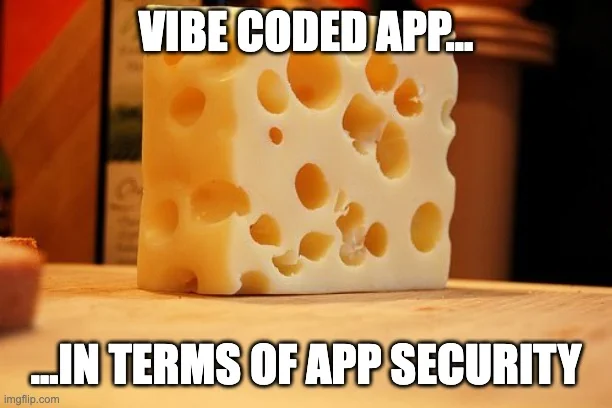
Agents get valuable when they can integrate with external services: Google Calendar, Slack, GitHub, Microsoft, Salesforce, and so on. Token handling is where a lot of prototype security debt shows up:
- API keys checked into config.
- Refresh tokens stored directly in your database.
- Tokens passed to the frontend.
- Scopes that are broader than necessary because it’s easier.
... come on. We've all seen the memes:
What Auth0 provides
Token Vault is Auth0’s answer to the most awkward part of “agents that take action” -- getting access to third-party APIs without turning refresh tokens into your next incident response drill.
Instead of storing provider refresh tokens in your own database (or piping tokens through the frontend), you connect a user’s external account once, and Auth0 stores the provider tokens as a connected account. When your agent needs to call that provider later, it doesn’t “use the refresh token” directly. It performs an OAuth 2.0 Token Exchange (RFC 8693) style on-behalf-of exchange to obtain a fresh provider access token for the current user.
The part that should make you pause (in a good way) is how this reduces foot-guns in your implementation. Auth0’s guidance emphasizes that the agent’s request is anchored to the current authenticated context. In other words, the agent can’t just ask for “any user’s tokens,” and developers don’t pass around a random userId to retrieve credentials. The SDK determines the correct context and credential under the hood, which makes it materially harder to accidentally build a token-leak or cross-user access bug into your agent plumbing.
And in a time where we can use AI to code things much faster, we need all the help we can get to reduce accidents like this.
Practically, Token Vault is a “credentials desk” for your agent:
- users connect external tools once
- tokens are stored and refreshed outside your app
- your agent exchanges for the right short-lived access token when it needs to act
- the agent keeps user context end-to-end, so actions stay scoped to what that user actually consented to
How to structure Token Vault in your agent system
Implement Token Vault as a distinct capability layer in your architecture:
- Connection phase (user present)
- User chooses Connect Google / Connect Slack / etc.
- Auth0 runs the external provider connection and consent flow.
- Tokens are stored in Token Vault after successful consent.
- Execution phase (agent acts later)
- Agent decides it needs an external API call (ex: list calendar events).
- Your backend exchanges an Auth0 token for an external provider access token (token exchange step).
- Agent calls the external API with that provider token.
- Guardrails
- Minimize scopes (only request what the agent truly needs).
- Log which connected account was used (auditability).
- Treat no connected account as a first-class state (agent should ask user to connect).
Let's look at an example where you schedule a meeting without handling refresh tokens directly:
User: "Schedule time with Sara next week."

Agent Runtime:
  1) Check if user has connected Google Calendar account.
  2) If not: ask user to connect account (Auth0 Connected Accounts flow).
  3) If yes:
      a) Request provider access token from Token Vault (token exchange).
      b) Call Calendar API to fetch availability.
      c) Propose options to user.
      d) Create event (may require explicit approval; see async authorization section).
The docs for Auth0 get into more details and more examples -- so definitely check those out to get more practical guidance!
The Big Win: Reduced blast radius
Token Vault is not just a convenience. It’s a permission boundary:
- The agent is not holding long-lived provider secrets.
- Provider credentials are not scattered across app databases.
- You have a consistent integration point across providers.
3) Asynchronous Auth: Human approval without blocking
The problem being solved
Agents become genuinely useful when they can take action, not just answer questions. But the moment an agent can send an email, make a purchase, change infrastructure, or pull sensitive records, you run into an uncomfortable reality:
The agent is now a power tool. And power tools need a safety switch.
If you make the user explicitly approve every single step up front, you kill the “agent” part of the experience. Everything turns into a slow, interactive wizard.
If you let the agent run freely in the background with blanket permission, you create the opposite problem: users don’t feel in control, auditors won’t be happy, and one bad prompt or misfire can become a real-world incident.
There has to be a balance here where we can get some of that automatic-magic feeling without it feeling terrifying for us.
So the problem isn’t: “how do I authenticate the user?”
It’s: "how do I let an agent work asynchronously while still requiring human approval at the moments that actually matter?
What Auth0 provides
Auth0’s approach is to treat “approval” as a first-class authorization flow instead of something you bolt on with custom UI and fragile state machines.
With asynchronous authorization, the agent (really, this is your backend acting on behalf of the agent) can initiate an authorization request that does not require the user to be present in the same browser session at that moment. The user gets prompted through a separate, trusted channel, and the agent can continue or pause based on the outcome.
Two concepts matter here:
- CIBA (Client-Initiated Backchannel Authentication) gives you the “ask now, approve later” mechanism. Your system can kick off a request, then wait for the user to approve it out-of-band (think: a push-style approval experience, not a blocking redirect flow).
- RAR (Rich Authorization Requests) lets you attach meaningful context to the approval. Instead of “Approve access?”, you can present what the agent is trying to do and why, so the user is making an informed decision.
Implement approval gates as a first-class tool policy
A clean pattern is to treat sensitive actions as gated tools.
- Categorize tools by risk
- Low risk: read-only actions, internal knowledge base retrieval with proper access control
- Medium risk: writing content drafts, creating calendar events in tentative mode
- High risk: sending emails, purchases, production changes, accessing health/financial data
- For high-risk tools, require asynchronous authorization
- Agent prepares a structured request payload:
- action type (send_email, purchase, deploy)
- key parameters (recipient, amount, environment)
- justification/context (why this action is needed)
- Backend initiates async authorization (CIBA).
- User approves/denies.
- Only after approval does the tool execute.
- Make the prompt understandable
- This is where RAR-style rich authorization data matters. Users should not see "Approve access?". They should see "Approve sending this document to these recipients? X, Y, Z"
Let's look at an example with high-impact tool call approval:
Agent decides: "Purchase flight + hotel" is required.

Agent Runtime -> Approval Service:
  createApprovalRequest(
    user_id,
    action="purchase_travel",
    details={
      total_cost: "$1,240",
      merchant: "Airline + Hotel",
      itinerary: "...",
      cancellation_policy: "..."
    }
  )

Approval Service -> Auth0 Async Authorization (CIBA):
  initiate request

User (on trusted channel/device):
  approve or deny

Approval Service:
  if approved -> return approved token / approval artifact
  else -> return denied

Agent Runtime:
  if approved -> execute purchase tool
  else -> ask user for next step
Here's what this gets you:
- The agent can keep working asynchronously, only interrupting when needed.
- You get a consistent audit trail: who approved what, when.
- You reduce the surprise automation factor that erodes trust.
4) Authorization for RAG
The problem being solved
RAG is one of those “it feels like magic” techniques until you realize what’s actually happening under the hood.
You’re taking internal content (tickets, docs, contracts, runbooks, customer records), chunking it, embedding it, and then retrieving pieces of it to feed into the model so the model can answer with current, organization-specific context.
The security trap is obvious once you say it out loud: retrieval is access.
If your retrieval layer doesn’t enforce permissions, your agent can accidentally pull context the user shouldn’t see and then confidently summarize it in a response. At that point, it doesn’t matter that your original documents were protected. You’ve created a new “side door” into sensitive data through the RAG pipeline. Auth0’s guidance calls this out directly as a risk in RAG systems.
Remember what we were talking about earlier in the article? We need a concrete identity boundary that shouldn't be an afterthought!
The other trap is oversimplifying authorization. Role checks (“is this person an Admin?”) might work for coarse application access, but they often fall apart for document-level access where permissions are based on relationships:
- This user can see these customer accounts, not all
- This contractor can see this project folder, not the whole drive
- This manager can see their org’s data, not another tenant’s
Auth0 highlights that real-world data access is frequently more nuanced than role membership alone.
What Auth0 provides
Auth0’s solution is to separate “how we retrieve” from “what we’re allowed to retrieve” by introducing a dedicated authorization layer in front of the RAG pipeline.
Instead of hoping your vector database filtering is correct everywhere, you use Auth0 Fine-Grained Authorization (FGA) as the system of record for “who can access what” at the document (or resource) level, and you consult it during retrieval.
Their quick-start guide gives you an overview of how to:
- Create an FGA store and model your relationships (users, groups, documents, folders, tenants)
- Create a client that can query those authorization decisions (the example calls out needing read/query capability)
- Wire retrieval so only authorized documents are eligible to become context for the model
It also frames the architecture in a way that’s directly useful for builders just like you:
- Your documents live in your systems
- Embeddings live in your vector database
- FGA sits alongside as the “permission engine” you use to filter retrieval results.
Where FGA belongs in a RAG pipeline
You want authorization checks to happen before retrieval, not after generation. Here are two common patterns to consider:
Pattern A: Filter documents before vector search
- Use FGA to list or filter document IDs the user can access.
- Restrict vector queries to those doc IDs.
Pattern B: Post-filter retrieval results
- Retrieve top K candidates from vector store.
- For each candidate doc ID, call FGA is user allowed?
- Drop unauthorized results; if too few remain, widen search or ask clarifying questions.
Pattern A tends to be more efficient at scale if your vector store supports metadata filters. Pattern B is simpler to bolt on, but may cost more in checks.
Which one is "right"? Well, as a software developer, you know the answer is "it depends" -- and that's something you will need to analyze and understand for the system you are building.
Putting it all together
Now that we've gone over these areas from Auth0 for AI agents, let's see it put together:
Step 1: Authenticate the user:
- Use Auth0 to establish the user identity and session.
Step 2: Provide the agent with scoped access to your first-party APIs
- Your APIs validate tokens and enforce authorization.
- The agent never gets a god mode API key.
- Call your APIs on a user’s behalf as a core pattern to maintain user context and avoid broad unrestricted access!
Step 3: Use Token Vault for third-party tools
- Connect accounts when the user is present.
- Token Vault stores external tokens and supports token exchange.
Step 4: Add approval gates for sensitive actions
- Use asynchronous authorization (CIBA) and rich authorization data (RAR) for high-risk tools.
Step 5: Secure your RAG pipeline
- Use Auth0 FGA to restrict which documents can be retrieved for the current user.
Speed matters, but trust is the feature
Teams are moving quickly into building agents because the upside is real. But the path to production is not make the model smarter.
It’s make the system safer.
Auth0 for AI Agents is essentially an attempt to make the secure path the straightforward path: authenticate the user, connect external APIs without leaking secrets, require approval for high-impact actions, and enforce fine-grained access in RAG pipelines.
I'm looking forward to integrating it into my agent development as Auth0 is already a core part of the software that I build.
As always, thanks so much for your support! I hope you enjoyed this issue, and I'll see you next week.
Nick “Dev Leader” Cosentino
[email protected]
Socials:
– Blog
– Dev Leader YouTube
– Follow on LinkedIn
– Dev Leader Instagram
P.S. If you enjoyed this newsletter, consider sharing it with your fellow developers!